9 Best SaneBox Alternatives in 2026 (Tested and Compared)
Written by Viraj Pandit
SaneBox is the best lightweight email filter there is. It learns which mail matters, moves the rest out of the way, works on any inbox, and genuinely saves its users hours a week. But it has one built-in limit: it tells you which emails matter, then leaves you to do all the work on the ones that do. It does not draft a reply, hand you a single ranked list, or chase a thread that goes quiet.
So if you are looking for a SaneBox alternative, the real question is how much you want done for you. Some tools filter better or cheaper. Some help you process faster. And some do the work outright. This guide covers all of them, tested and compared, organized by how much they take off your plate, so you land on the one that fixes your actual problem rather than a slightly different filter.
SaneBox's strengths and its limits
Credit first, because SaneBox does one job very well. It reads your behavior, who you open, reply to, and ignore, and routes unimportant mail into a separate folder so your main inbox holds only what matters. It works with any provider over IMAP, needs no new email client, and is highly rated, around 4.8 out of 5 across hundreds of reviews, with users reporting five or more hours saved each week. As a filter, it is excellent, and for a lot of people it is enough.
The limits are the reasons people go looking:
- It filters, it does not draft. SaneBox moves mail aside, but you write every reply yourself. There is no generative AI.
- It sorts into folders, not a single list. You get smart folders to check rather than the few items that need you today, ranked by who is waiting, and important mail occasionally lands in the wrong folder, so you keep checking them by hand.
- It does not chase. SaneBox flags threads awaiting a reply, but it will not draft or send the follow-up.
- Pricing is per inbox and tiered. Billing is per account, so costs climb if you run several, and the cheaper plans unlock only a fraction of the features.
None of that makes SaneBox bad. It makes it a filter, when many people looking to switch actually want something that does more than filter.
The spectrum of SaneBox alternatives
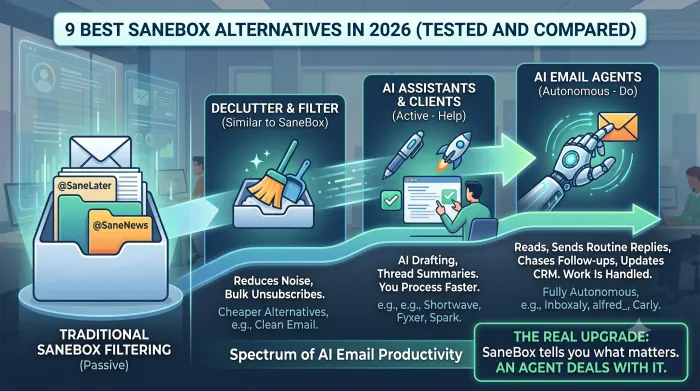
The alternatives are not all the same kind of tool. They sit on a spectrum of how much work they remove, and knowing which end you want is the whole decision.
At one end are filters and declutter tools, the same category as SaneBox, that reduce what reaches you. Clean Email bulk-sorts and unsubscribes, and Gmail's own Priority Inbox already does much of what SaneBox does, for free.
In the middle are AI clients and assistants that help you process faster. They draft replies, summarize threads, and organize your inbox, but you still send. Shortwave, Fyxer, Spark, and Mailbutler live here.
At the far end are agents that do the work for you. They read incoming mail, rank what needs you, draft in your voice, send routine replies, and chase the threads that stall, so the work is handled, not just surfaced. Inboxaly, alfred_, and Carly sit here.
The question SaneBox answers is "which emails matter?" The question an agent answers is "can you just deal with them?" Where on that spectrum you want to be decides which tool is right.
SaneBox alternatives compared
The column that matters most is whether the tool does the work for you or, like SaneBox, only sorts it.
| Tool | Category | Does the work for you | Works in | Price |
|---|---|---|---|---|
| SaneBox (baseline) | Filter | No, sorts only | Any IMAP | $7/mo |
| Inboxaly | Agent | Yes, sends and chases | Gmail, Outlook, M365, Yahoo, Zoho, IMAP | $49/mo |
| alfred_ | Agent | Ranks and drafts, you send | Gmail, Outlook | $24.99/mo |
| Carly | Agent | Yes, sends | Gmail, Outlook | $35/mo |
| Shortwave | AI client | Drafts, you send | Gmail | Free / $8.50/mo |
| Fyxer | Assistant | Drafts, you send | Gmail, Outlook | $30/user/mo |
| Spark | Client | Drafts, you send | Gmail, Outlook, iCloud, IMAP | Free / ~$6/mo |
| Mailbutler | Assistant | Drafts, you send | Gmail, Outlook, Apple Mail | Free / ~$9/mo |
| Clean Email | Declutter | No, cleans in bulk | Any IMAP | Affordable sub |
Pricing verified mid-2026. Confirm current rates on each vendor's page.
Agents that handle the work, not just sort it
This is the group for people whose real problem is not a messy inbox but too much of it, and it is the category most SaneBox roundups skip. Where SaneBox tells you what matters, an agent deals with it.
1. Inboxaly
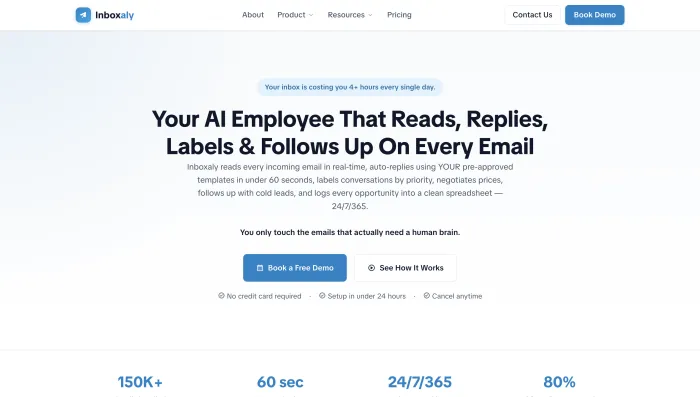
Inboxaly is an autonomous email agent that does what SaneBox cannot: it acts on the mail. It reads incoming messages, ranks what needs you, drafts replies using your own templates, sends the routine ones or holds them as drafts (your choice), runs timed follow-up sequences that chase stalled threads on their own, negotiates within pricing boundaries you set, and logs new leads to a self-updating sheet. It connects to Gmail, Google Workspace, Outlook, Microsoft 365, Yahoo, Zoho, or any IMAP inbox, wider than most agents, and is built around SOC 2 Type II and GDPR-aligned standards. Against SaneBox, the contrast is total: SaneBox sorts your inbox and steps back, while Inboxaly works it. It suits founders, agencies, and sales teams with high, repetitive volume, and unlike some newer agents, it is live rather than invite-only. From $49 per month.
2. alfred_
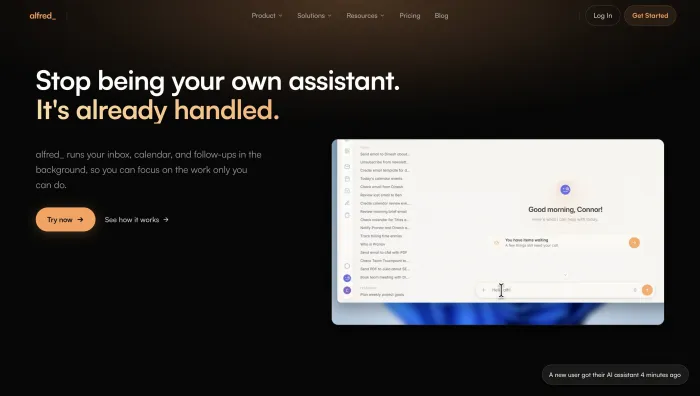
alfred_ gives you the thing SaneBox does not: a single ranked list plus the drafts to clear it. It triages your inbox by urgency, drafts replies in your voice, extracts tasks, manages your calendar, and delivers a morning brief across Gmail and Outlook, for a flat $24.99 per month with no per-inbox fees. Against SaneBox, it hands you the few items that need you today, already drafted, rather than folders to sift through, and there is no behavior-training period before it is useful.
3. Carly
Carly is an agent you instruct by email: give a named agent plain-English rules and it reads a thread, acts across your connected tools, and sends, through Gmail or Outlook, for $35 per month. Against SaneBox, it does not just move mail out of the way, it finishes the task the mail was asking for. Strong for solopreneurs who want work done rather than sorted.

AI clients and assistants
If you want more than filtering but still want to press send yourself, these add drafting and AI on top of your inbox.
4. Shortwave
Shortwave is an AI-native Gmail client from the ex-Google Inbox team, and it adds the drafting and search SaneBox lacks. Natural-language search across your inbox, automatic bundling, AI labels, and drafting are the default state of the inbox, with a free tier and paid plans from around $8.50 per month. Against SaneBox, it brings real AI, but it is Gmail-only and replaces your client rather than layering on any provider.

5. Fyxer
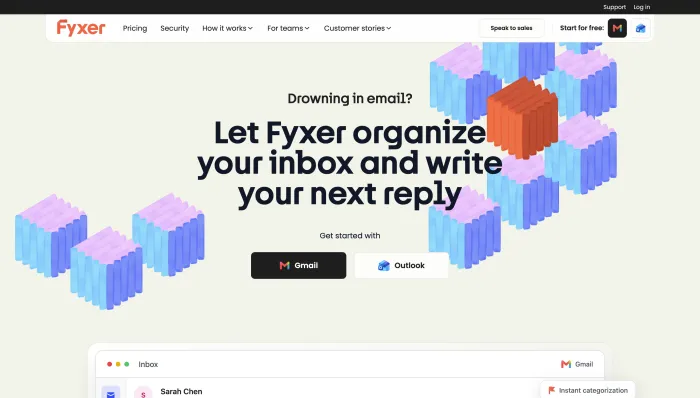
Fyxer is a server-side overlay for Gmail and Outlook that sorts your inbox into categories, drafts replies in your voice, and takes meeting notes, from $30 per user per month ($22.50 annually). Against SaneBox, it draws the same line the whole category does: it drafts, which SaneBox does not, though its categories are fixed and volume-based overage fees apply. We cover it in depth in our Fyxer AI review.
6. Spark
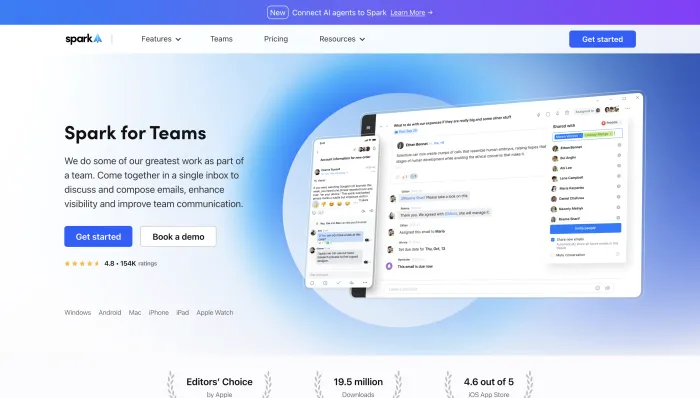
Spark is a cross-platform client for Gmail, Outlook, iCloud, and IMAP, with a Smart Inbox, AI Compose, and team features like shared inboxes and delegation. It has a strong free tier, with Premium from around $6 per month, across iOS, Mac, Android, and Windows. Against SaneBox, it is a full client with light AI and multi-account support, though it replaces your inbox and stores credentials on its own servers.
7. Mailbutler
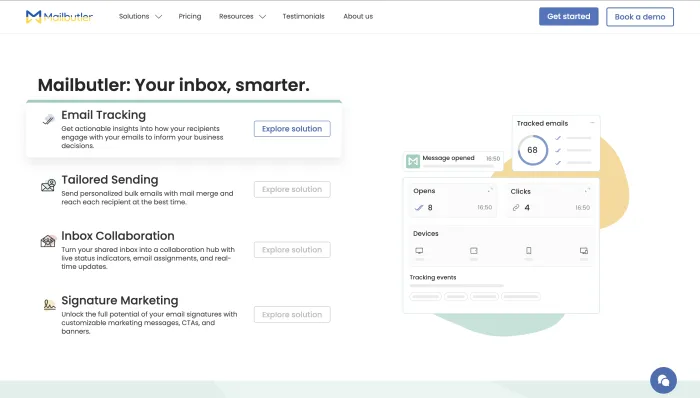
Mailbutler is an extension that adds a Smart Assistant, drafting, summaries, and tasks, plus tracking and scheduling, to Gmail, Outlook, and, uniquely here, Apple Mail. It has a free plan, with full AI from around $9 to $14 per month. Against SaneBox, it adds AI drafting and tracking inside the client you already use, rather than filtering in the background.
Declutter and filter tools
If you actually want what SaneBox does, just cheaper or simpler, stay in this category rather than overbuying.
Clean Email is a rule-based inbox cleaner that bulk-sorts, archives, and unsubscribes across any provider on an affordable subscription. It is decluttering rather than AI, so it does not draft or chase, but it pairs well with a separate AI tool and is a clean, cheaper way to cut volume.
Gmail's Priority Inbox, worth saying plainly, already does much of what SaneBox does, for free. It prioritizes mail, and Gmail adds snoozing, scheduling, and follow-up nudges natively. If filtering is genuinely all you need, you may already have it in the inbox you use. The reason to pay for an upgrade is to get something Gmail and SaneBox both lack: a tool that handles the mail rather than just ordering it.
For teams that share a support or sales inbox, the better move is a collaboration platform such as Front, Hiver, or Gmelius, which add assignment, shared inboxes, and AI on top of Gmail or Outlook, rather than a personal filter.
Choosing a SaneBox alternative
Four questions decide it.
Does it just sort, or does it handle? This is the main one. A filter tidies your inbox; an assistant helps you write; an agent does the work. Match the tool to how much you want done.
Does it rank, or only label? Labeling tidies. Ranking hands you the few things that actually need you today, which folders do not.
Does it close the loop? Drafting is the baseline now. Chasing the threads that go quiet is what actually stops things slipping, and most tools do not do it.
Is the pricing honest? Watch for per-inbox billing (SaneBox's own model), tiered plans that lock features away, annual commitments, and volume overage fees.
Which SaneBox alternative should you choose
Start from why you are leaving.
If you just want a better or cheaper filter, use Clean Email, or lean on Gmail's Priority Inbox, which is free. If you want AI drafting inside a client, Shortwave for Gmail or Fyxer as an overlay. If you want a cross-platform client with light AI, Spark. If you run a shared team inbox, Front, Hiver, or Gmelius.
But if the reason you are leaving is that filtering is not enough, that you are tired of writing every reply and chasing every thread yourself, then the upgrade worth making is an agent that does the work: Inboxaly for high-volume business inboxes that need replies sent, follow-ups chased, and leads logged, Carly for end-to-end tasks, alfred_ for a ranked list and drafts at a lower price. That is what most people leaving SaneBox are really looking for, even when they start by searching for another filter.
For the full field of AI email tools tested side by side, see our guide to the best AI email assistants of 2026, and for the category that handles email outright, our guide to AI email agents.
Frequently asked questions
Does SaneBox use AI? SaneBox uses behavior-based machine learning to filter and prioritize mail, learning from which emails you open and answer. It is not generative AI, so it sorts your inbox but does not draft replies, summarize threads, or chase follow-ups.
What is the best SaneBox alternative that also drafts replies? For drafting on top of filtering, an agent like Inboxaly or alfred_ drafts and, in Inboxaly's case, sends and chases, which SaneBox does not. Fyxer also drafts as an overlay. If you want the work handled rather than just written, an agent goes furthest.
Can I keep my current email client like with SaneBox? Often, yes. Clean Email, Fyxer, Mailbutler, and the agents layer onto your existing Gmail or Outlook without replacing it. Some tools, like Shortwave and Spark, are full clients you switch to instead.
Which SaneBox alternative is cheapest? Gmail's Priority Inbox is free and covers much of SaneBox's filtering. Clean Email and Shortwave's free tier are inexpensive. Among agents, alfred_ at $24.99 per month is the lowest, with no per-inbox fees.
What is the best SaneBox alternative for privacy? For encrypted email, Canary Mail or Proton are the privacy-first picks. Among agents, Inboxaly is built around SOC 2 Type II and GDPR-aligned standards, connects via OAuth so you never share a password, and does not train public models on your mail.
Does Gmail already do what SaneBox does? Largely, for filtering. Gmail's Priority Inbox prioritizes important mail, and Gmail adds snoozing, scheduling, and follow-up nudges for free. The gap both leave open is doing the work on the mail that matters, which is what an agent adds.
The bottom line
SaneBox is a great filter, but filtering is only the first step. If you want a better or cheaper way to sort, Clean Email or Gmail's own Priority Inbox will do the job. If you want AI drafting, a client like Shortwave or an overlay like Fyxer adds it. But if the reason you are leaving is that sorting is not enough, that you still write every reply and chase every thread yourself, then the upgrade worth making is an agent that does the work.
SaneBox tells you what matters. An agent deals with it. If your inbox is mostly repetitive business mail, inquiries, and follow-ups, that is exactly the work an agent is built to take off your plate.