AI Email Agents: The Complete 2026 Guide
Written by Viraj Pandit
The way we deal with email is splitting in two. On one side are tools that help you write faster: they draft, summarize, and sort, but you still read and send everything. On the other is a newer category that does the work for you. An AI email agent reads your incoming mail, decides what each message needs, replies against rules you set, follows up on its own, and logs what matters, while you supervise rather than send.
That shift matters because writing faster was never the real problem. Knowledge workers still lose close to a quarter of the workweek to email, and workplace AI use reached 45% of US employees by late 2025, according to Gallup. The tools winning in 2026 are the ones that reduce how much email you handle at all, not just how fast you handle each message.
This guide explains what an AI email agent is, how it works, what it can do, how it differs from the assistants and clients it gets confused with, and how to choose and set one up. We build one at Inboxaly, so we know the category closely, and we will be clear about where agents fit and where they do not.
AI email agents, defined
An AI email agent is software that reads your inbox, understands what each message means, and takes action on it, based on rules you set and improving as you correct it. Where a chatbot waits for you to prompt it, an agent runs in the background, monitoring your inbox and acting on its own.
The distinction that defines the category is action. An assistant suggests a reply and waits for you to send it. An agent reads the message, decides what to do, drafts or sends the response, and moves on, escalating to you only when something needs a human. It behaves less like a tool you operate and more like a junior colleague you delegate to: you set the boundaries, review its work, and step in on the calls that matter.
To do that, an agent reads more than the text of a message. It weighs the sender, subject, thread history, attachments, your calendar, and, in the better tools, your CRM, to predict what you would do and execute a bounded action: reply, follow up, label, log, or schedule. The result is an inbox that behaves like a managed queue rather than a pile you dig through.
Agent vs assistant vs client
Three kinds of tool get lumped together under "AI email," and telling them apart is the fastest way to know whether an agent is what you actually need.
| What it does | You still... | Example | |
|---|---|---|---|
| Client | Replaces your inbox app to make it faster and cleaner | Read and send everything | Superhuman, Shortwave |
| Assistant | Drafts, summarizes, and sorts inside your inbox | Review and send every message | Fyxer, MailMaestro |
| Agent | Reads, decides, replies, follows up, and logs on its own | Supervise, and step in when needed | Inboxaly, Carly |
A client makes you faster. An assistant takes the writing off your hands. Only an agent reduces how many emails you personally handle. If your problem is that you are slow in your inbox, a client or assistant solves it. If your problem is that there is simply too much email, an agent is the only one of the three built for that. For a fuller comparison of tools across all three tiers, see our guide to the best AI email assistants of 2026.
Inside an AI email agent: the read, decide, act loop
Under the hood, an agent runs a loop for every incoming message: read, decide, act, learn.
Read. It parses the message and its context, the sender, subject, thread, attachments, and often your calendar and CRM, using a language model to understand intent and urgency rather than matching keywords.
Decide. Against the rules and priorities you set, it works out what the message needs: a reply now, a follow-up later, a label, a logged lead, or your personal attention. This is the judgment step a fixed filter cannot do.
Act. It executes a bounded action. Depending on your autonomy settings, that means drafting a reply for your review or sending it outright, scheduling a meeting, updating a record, or flagging the message for you.
Learn. When you correct it, by editing a draft, recategorizing a message, or overriding a decision, it adjusts, so its judgment improves over time.
Two things make this reliable rather than reckless. The first is retrieval: the best agents ground their replies in your own templates, history, and documents, so responses are specific to your business instead of generically plausible. The second is autonomy control: you decide how much the agent does on its own, from draft-only to fully hands-off on routine mail, and you can hold anything that carries a real decision for review.
The jobs an AI email agent handles
The capabilities map to the jobs that eat your day.
Triage and prioritize. Rank mail by urgency and intent, so the client escalation surfaces and the newsletter sinks.
Reply and send. Draft responses in your voice and, for routine mail, send them, using your templates so replies stay on-brand rather than generically "AI."
Follow up. Track which of your messages are awaiting a reply and send the nudge on a schedule, so opportunities do not die in silence.
Capture leads and data. Read inbound mail for the details that matter, a new lead's name, company, and request, and log them to a spreadsheet or CRM.
Schedule. Read a scheduling request, check your calendar, propose times, and book the meeting end to end.
Work repetitive back-and-forth. For businesses with high, patterned inbound, an agent can handle the routine exchanges that follow a template, escalating the exceptions to you.
Not every agent does all of these. The ones built for individuals lean on triage, drafting, and briefings; the ones built for business inboxes lean on sending, follow-up, and lead capture at volume.
The types of AI email agent
The term covers a few different products, and knowing which one you are looking at avoids a mismatch.
Personal and business inbox agents work your everyday inbox, reading, replying, following up, and logging. This is the category most people mean, and it ranges from individual tools that triage and brief you to business agents like Inboxaly that handle high-volume repetitive mail for founders, agencies, and sales teams.
Customer support agents sit on a shared support inbox and resolve routine tickets, escalating complex cases to human reps. These are built for support teams rather than individuals.
Sales and outbound agents, sometimes called AI SDRs, run outbound campaigns: they find prospects, personalize cold emails, and follow up to drive pipeline. That is a different job from managing your inbound inbox.
Developer infrastructure gives software agents their own email inboxes through an API, so other applications can send and receive mail. This is for engineers building agents, not for managing your own email.
The rest of this guide is about the first kind, the agent that works the inbox you already have.
The best AI email agents in 2026
Four tools genuinely work an inbox rather than just drafting for it.
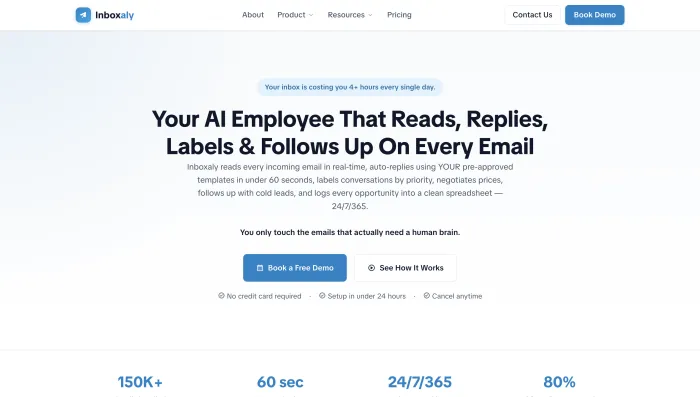
Inboxaly is built for business inboxes with high, repetitive volume. It reads incoming mail, replies using your own templates, runs follow-ups, and logs new leads to a spreadsheet, aimed at founders, agencies, and sales teams that would otherwise hire an assistant to keep up. Its focus on template-driven replies, follow-up, and lead capture makes it the pick when the goal is to handle the routine 80% of business mail automatically. From $49 per month.
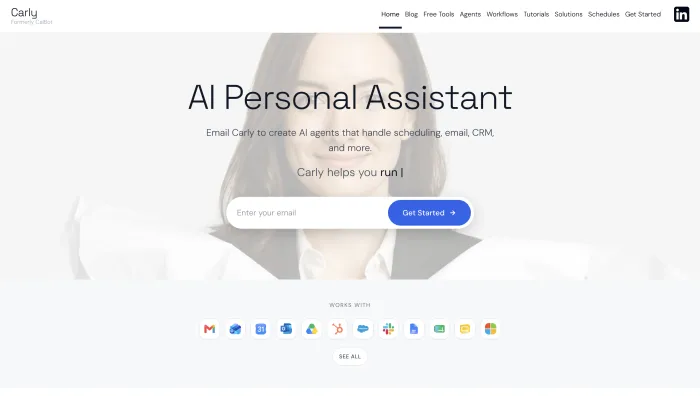
Carly is an agent you interact with by email, giving named agents plain-English instructions to handle scheduling, replies, and CRM updates end to end across your connected tools. Strong for solopreneurs who want work finished rather than drafted. $35 per month.
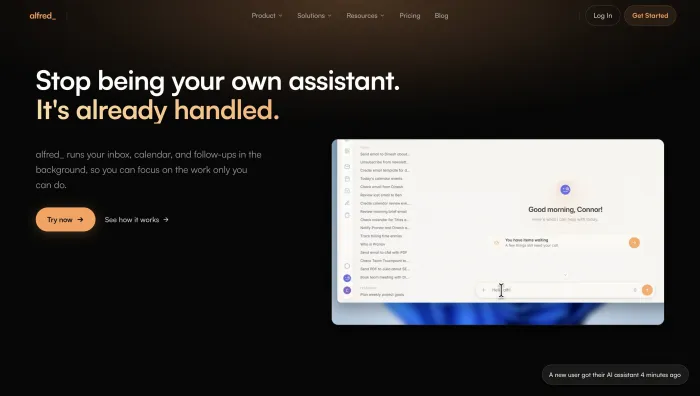
alfred_ covers the individual workflow: it triages, drafts, extracts tasks, manages your calendar, and delivers a morning brief across Gmail and Outlook, at a flat $24.99 per month. You still send, but far more is handled before you look.
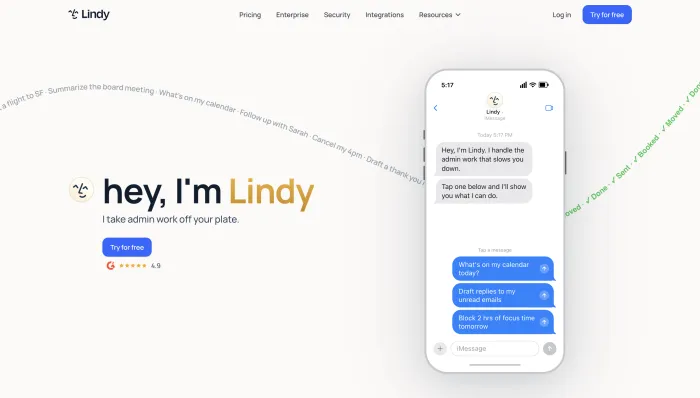
Lindy is a broader no-code agent platform that can triage your inbox, draft in your voice, and coordinate across thousands of apps, pinging you over chat. Flexible, though its credit-based pricing can climb with heavy use. From $49.99 per month.
For how these sit alongside assistants and clients, our best AI email assistants guide tests the wider field, and our AI email management guide covers the broader approach.
Setting up an AI email agent
Adoption is a dial, not a switch. The sensible path is the same across tools.
Connect the agent to Gmail or Outlook and grant the permissions it needs. Give it your priorities and templates so it knows what matters and how you sound. Start in draft-only mode, where it prepares everything but you send. Watch its judgment on one category of mail, routine inquiries for example, for about a week, correcting what it gets wrong so it learns your preferences. Once you trust it there, let it send that category on its own while it continues to hold anything that needs a decision. Expand from there, one category at a time.
Most agents are useful within a day and noticeably better after a week of calibration, so give it that week before you judge it.
Keeping control, and keeping data safe
Handing your inbox to software raises two fair questions: control and privacy.
Control is handled by the autonomy dial. You decide what the agent sends on its own and what it holds for you, and the good tools make routine, low-risk mail automatic while escalating anything consequential. Starting draft-only and expanding as trust builds means you are never surprised by what goes out under your name.
Privacy comes down to the vendor. Favor agents with recognized security credentials such as SOC 2, and a clear policy against training public models on your email. Read the data-retention terms before you connect, since you are giving the tool access to one of your most sensitive accounts. Reputable agents use scoped permissions and encryption, and you control exactly what the agent is allowed to do.
Are AI email agents worth it
The case rests on where your time goes. If email takes a meaningful share of your day, and for most knowledge workers it takes close to a quarter of the week, an agent that absorbs the routine portion pays for itself quickly. Agents run roughly $25 to $50 per month for an individual, against the far higher cost of a part-time assistant doing the same work, so even a few reclaimed hours a week covers the fee.
The value is not only time. An agent replies in a consistent voice, follows up on schedule rather than when you remember, and stops leads and important threads from getting buried, which is often worth more than the hours saved. The honest caveat is fit: an agent is built for inboxes with real volume and repeatable patterns. If your mail is low-volume or every message is bespoke, a faster client or a drafting assistant may serve you better.
Who should use an AI email agent
An agent is the right tool if you have high, repetitive inbound and want it handled rather than sped up: founders fielding inquiries, agencies managing client mail, sales teams chasing leads, and e-commerce operators answering the same questions all day. For them, the routine 80% is exactly what an agent absorbs.
It is the wrong tool if your inbox is light, if every email needs your personal judgment, or if you simply want a faster place to read and reply yourself. In those cases a client or an assistant fits better, and our best AI email assistants guide covers those options.
Frequently asked questions
What is an AI email agent? It is software that reads your inbox, understands what each message needs, and takes action, replying, following up, labeling, or logging, based on rules you set, while you supervise. Unlike a chatbot you prompt, it runs in the background and acts on its own.
How is an AI email agent different from an AI email assistant? An assistant drafts and sorts but leaves the sending to you. An agent reads, decides, and can send on your behalf, then follows up and logs, reducing how much email you handle rather than just making each message faster.
Can an AI email agent send emails on its own? Yes, within limits you set. You choose what it sends automatically, usually routine, low-risk replies, and what it holds for your review. You can start in draft-only mode and expand autonomy as you build trust.
Are AI email agents safe? Reputable agents use encryption, scoped permissions, and certifications such as SOC 2, and the better ones do not train public models on your email. Start in draft-only mode and review the data-retention policy before connecting. You control what the agent can do.
What is the best AI email agent? It depends on your inbox. Inboxaly suits high-volume business email at founders, agencies, and sales teams; alfred_ suits individuals wanting triage and a daily brief; Carly suits solopreneurs wanting end-to-end tasks.
How much does an AI email agent cost? Individual agents run roughly $25 to $50 per month. That is far less than the part-time assistant doing the same work, which is the comparison that matters for most buyers.
The bottom line
An AI email agent is the first tool that reduces how much email you handle rather than how fast you handle each message. It reads your inbox, decides what each message needs, replies and follows up against your rules, and logs what matters, with you supervising. That is a different job from the clients and assistants it gets confused with, and for anyone drowning in high, repetitive inbound, it is the one worth trying.
If your inbox is mostly business mail, inquiries, follow-ups, and leads that need logging, that is precisely the work an agent is built to run on its own, and it is exactly what we built Inboxaly to do.
References
- Gallup. Frequent Use of AI in the Workplace Continued to Rise, Q3 to Q4 2025. gallup.com
- McKinsey Global Institute. The Social Economy: share of the workweek spent reading and answering email. mckinsey.com