Best AI Email Assistants in 2026 (We Tested 15)
Written by Sanya Goyal
Most "AI email" tools do not do the thing busy people actually want. They help you type a little faster, then hand the email straight back to you. You still read every message, decide what matters, and press send. The pile does not shrink. The tools worth paying for in 2026 do something different: they read, sort, draft, and in some cases reply on your behalf while you supervise.
Knowledge workers still spend close to 28% of the workweek, around 11 hours, reading and answering email, a figure McKinsey popularized and later studies have echoed. That is more than a full working day, every week, lost to the inbox. This guide ranks 15 AI email tools by how much of that work they take off your plate, not by how long their feature list runs.
One disclosure first: Inboxaly is our product. We included it because it belongs in this category, and we scored it on the same rubric as everything else, and we flag where competitors do specific jobs better.
Our testing method
We connected each tool to a live Gmail account and a live Outlook account, then ran two weeks of real email through it: client threads, scheduling requests, sales follow-ups, and the usual flood of newsletters and notifications. We scored every tool on seven factors:
- Autonomy: how much it does without you
- Draft quality: whether replies sound like you, not a bot
- Triage accuracy: whether it surfaces what actually matters
- Follow-up reliability: whether it chases replies without being told
- Integrations: how well it connects to your calendar, CRM, and tools
- Setup friction: how long before it earns its keep
- Price: what you pay for the value delivered
A note on pricing: every figure below was verified in mid-2026. Vendors change rates often, so confirm on the provider's own pricing page before you buy.
Assistant, agent, or client: the split that decides your pick
The category blurs three very different products under one label. Sorting them out is the fastest way to choose well.
An AI email client replaces your inbox app. Superhuman, Shortwave, and Canary Mail sit here. You still read, decide, and respond to every message; the software just makes it faster and cleaner.
An AI email assistant lives inside your existing inbox and helps you write. It drafts replies, summarizes threads, and improves tone, but you review and send. Fyxer, MailMaestro, Mailbutler, and Gmelius belong here.
An AI email agent works your inbox for you. It reads incoming mail, drafts or sends replies against rules you set, follows up, and updates your other tools, all while you supervise. Inboxaly, Carly, Lindy, and alfred_ sit in this tier. It is the newest and most consequential group, because it is the only one that reduces how much email you handle rather than how fast you handle it.
Pick the tier that matches your goal. Want to move through your inbox faster? Look at clients. Want help writing? Look at assistants. Want less email to deal with in the first place? Look at agents.
The shift to email agents in 2026
For years, "AI email" meant autocomplete: a tool suggested the end of your sentence and you took it from there. That changed once language models got good enough to read a full thread, understand what it is asking, and act on it. The result is a new tier of tools that do not just help you write, they close the loop. They classify inbound mail, draft grounded replies, route messages, chase follow-ups, and update your CRM, then surface the result for your review.
The practical change is from "process every message" to "review what the agent already handled." Autonomous send is still used carefully; most teams that run agents well keep drafts staged for a human on anything that carries a decision. But the direction is clear. The tools that win in 2026 are the ones that reduce the volume of email you personally touch, not just the seconds each message takes. That is the lens this ranking uses, and it is the reason the agent tier leads it.
The technology behind AI email assistants
Modern email assistants are not glorified filters. Old rules ran on rigid if-then logic: if the sender is Bob, move the message to a folder. Today's tools read and understand the message itself. Four technologies do the heavy lifting.
Large language models are the engine. Most tools call models like GPT or Claude through an API to generate human-sounding drafts, rewrite in a chosen tone, and condense long threads into a few lines.
Semantic search lets you find mail by meaning rather than exact keywords. A query like "the thread where we discussed the Q3 budget" surfaces the right conversation even if those words never appear in it.
Sentiment analysis reads the emotional tone of incoming mail, flagging an angry customer or an urgent request so it rises above routine updates.
Retrieval-augmented generation, or RAG, lets the assistant ground its answers in your own history and documents rather than inventing them. It is what makes an agent's reply factually specific to your business instead of generically plausible.
Architecturally, these tools ship in three forms. Overlays add a sidebar to Gmail or Outlook (Fyxer, Gmelius, Mailbutler). Standalone clients replace your webmail with their own interface (Superhuman, Shortwave, Canary Mail). Agents work in the background and reach you by email or chat (Inboxaly, Carly). The overlay keeps your familiar inbox, the client trades familiarity for speed, and the agent removes the inbox from the loop for routine work entirely.
The business case: what the data says
The productivity argument for these tools is no longer theoretical. Workplace AI adoption crossed a threshold in 2025: Gallup found that 45% of US employees used AI at work at least occasionally by the third quarter, up from 40% a quarter earlier, with 23% using it weekly. Writing and editing tools were among the most common uses, reported by roughly a third of AI users.
The pull is obvious when you look at where the time goes. If email eats a quarter of the workweek, any tool that reliably claws back even part of that pays for itself fast. A part-time assistant costs thousands a month, so a $25 to $50 tool that saves a few hours a week is an easy trade.
Two cautions temper the upside. First, the gains depend on adoption, not just purchase: teams that buy tools without setting clear rules for how to use them leave much of the value on the table. Second, giving software access to your inbox raises real privacy questions. Favor vendors with SOC 2 compliance and explicit policies against training public models on your data, and start any tool in a low-autonomy mode until you trust it.
The 15 best AI email assistants
Quick comparison first, then the full breakdown by tier.
| Tool | Type | Best for | Autonomy | Starting price | Free option |
|---|---|---|---|---|---|
| Inboxaly | Agent | Founders, agencies, sales | High | $49/mo | Demo |
| Carly | Agent | Solopreneurs, consultants | High | $35/mo | Limited free tier |
| Lindy | Agent | Proactive assistant + chat | Medium to high | $49.99/mo | 7-day trial |
| alfred_ | Agent | Triage + daily brief | Medium to high | $24.99/mo | 7-day trial |
| Fyxer | Assistant | All-round Gmail/Outlook | Medium | $30/user/mo | 7-day trial |
| MailMaestro | Assistant | Outlook drafting | Low to medium | $12/mo (annual) | Free plan |
| Mailbutler | Assistant | Apple Mail users | Low to medium | ~$9/mo | Free (watermark) |
| Gmelius | Assistant | Gmail teams | Medium | $19/user/mo | Trial |
| Superhuman | Client | Inbox speed | Low | $30/mo | 30-day trial |
| Shortwave | Client | AI-native Gmail | Low to medium | ~$9/user/mo | Free tier |
| Canary Mail | Client | Privacy plus AI | Low to medium | ~$3/mo (annual) | Free plan |
| Missive | Client | Team shared inbox | Low to medium | $14/seat/mo | Free plan |
| Front | Client | Enterprise support | Medium | $25/seat/mo | 14-day trial |
| Hiver | Client | Gmail/Outlook helpdesk | Low to medium | $25/user/mo | Free plan |
| SaneBox | Filter | Noise reduction anywhere | Low | $7/mo | 14-day trial |
Pricing verified mid-2026. Confirm current rates on each vendor's page.
Autonomous agents (they do the work)
These are the only tools that reduce how much email you deal with. They read, act, and follow up, with you setting the rules and supervising.
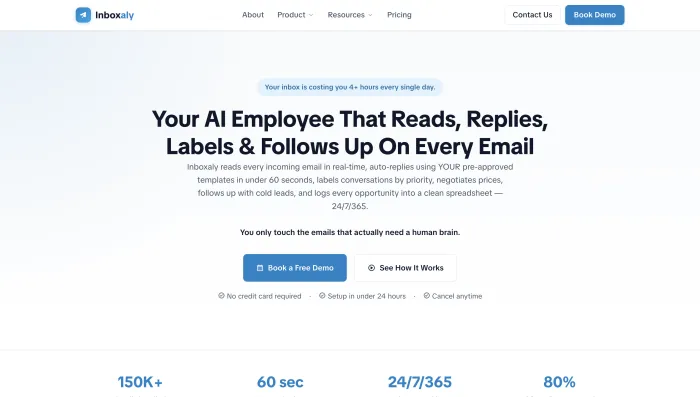
1. Inboxaly: best for founders and agencies with high email volume
Inboxaly is an autonomous email agent built for high-volume business inboxes. It reads every incoming message, replies using your own templates in under a minute, labels mail by priority, runs follow-ups on its own, and logs new leads straight to a spreadsheet. It is aimed at founders, agencies, sales teams, and solo consultants buried in repetitive inbound who would otherwise hire someone to handle it.
Standout: it is one of the few tools that will negotiate and log leads, not just draft. Template-driven replies keep responses on-brand instead of generically "AI."
Limitation: it is built for repeatable business email, not as a full inbox you browse and read in. If you want a faster place to process every message yourself, a client like Superhuman solves a different problem.
Real-world fit: it suits an agency owner fielding a couple of hundred inbound inquiries a week, or a founder who wants qualified leads captured to a sheet without opening the inbox. Skip it if you mostly write bespoke, one-off emails that follow no pattern.
Pricing: from $49/month. Best for: founders, agencies, sales, and e-commerce teams who want the routine 80% handled automatically.
2. Carly: best for solopreneurs who want an agent with its own email address
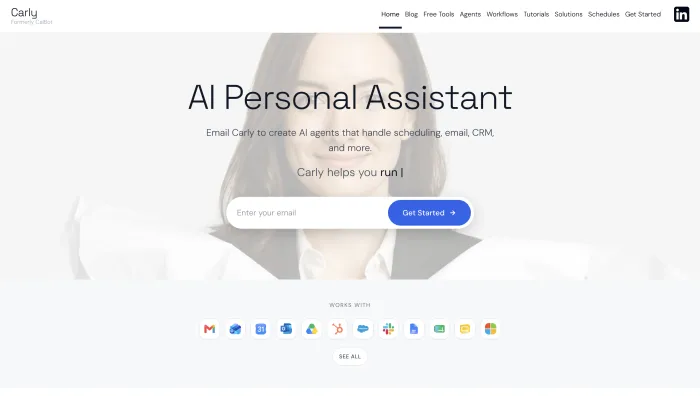
Carly is an AI email agent you interact with by email. You create named agents, each with its own address, plain-English instructions, and memory, then delegate: "reply to scheduling requests and book them," or "enrich these leads and add them to the CRM." Each agent reads the thread, acts across 120-plus integrations, and emails you the result. It works with Gmail and Outlook and needs no app.
Standout: agents finish multi-step work end to end, including sending, rather than handing you a draft. The first agent takes about 15 minutes to set up.
Limitation: it works asynchronously through email, so it is not somewhere you sit and read your inbox, and it does not join live meetings. Occasional errors need oversight, and there is no free trial of the paid features.
Real-world fit: a typical use is forwarding a messy scheduling thread and getting back a booked meeting with a calendar invite, no back-and-forth. Skip it if you want a dashboard to read your inbox in, since Carly lives in email rather than a UI.
Pricing: $35/month, with a limited free tier. Best for: founders, solopreneurs, and consultants who want work done, not drafted.
3. Lindy: best for a proactive assistant across email and messaging
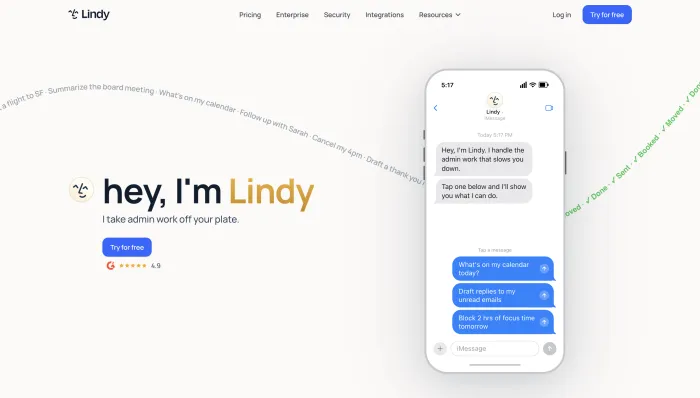
Lindy is a no-code "AI employee" platform. You describe an agent in plain English and it triages your inbox, drafts replies in your voice, schedules and preps meetings, and updates your CRM, pinging you over iMessage or SMS. It connects to thousands of apps and, by default, drafts and waits for your approval before sending.
Standout: genuine proactivity. It surfaces context before meetings and coordinates multi-step tasks across tools.
Limitation: pricing is credit-based, so a complex workflow can burn through your monthly allowance faster than the sticker price suggests. Costs get hard to predict at volume, and it can stall on longer multi-step jobs.
Real-world fit: it shines for someone who wants a text-message assistant that flags issues before a meeting and drafts the follow-up after. Skip it if unpredictable monthly costs would stress you out.
Pricing: from $49.99/month (Plus), 7-day free trial, with credit-based usage on top. Best for: individuals who want a proactive assistant and are happy reviewing its drafts.
4. alfred_: best for a daily brief plus autonomous triage
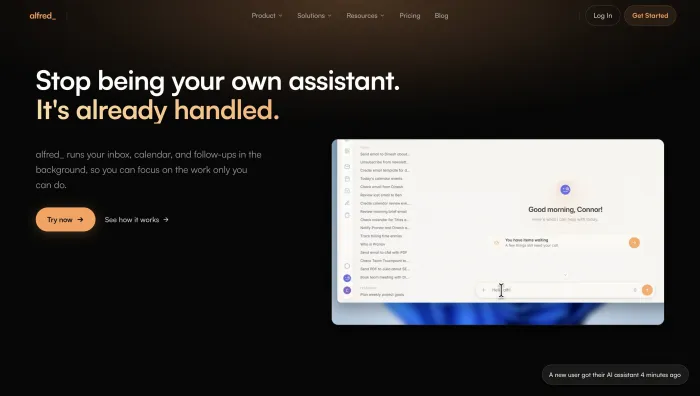
alfred_ handles the individual email workflow end to end. It triages your inbox by urgency, drafts replies in your voice, extracts tasks (including commitments you made inside a thread), manages your calendar, and delivers a morning brief across Gmail and Outlook. Pricing is flat, with no per-seat fees or AI add-ons.
Standout: autonomous triage, task extraction, and a daily briefing bundled into one flat-priced tool. You still send, but the sorting and drafting are done.
Limitation: built for individuals, so there are no team or shared-inbox features, and it is a newer entrant.
Real-world fit: the morning brief is the hook. You open your laptop to a triaged inbox and a short list of what actually needs a decision. Skip it if you need team or shared-inbox features.
Pricing: $24.99/month ($249.99/year), 7-day free trial. Best for: solo professionals who want email triaged and a clear brief each morning.
In-inbox AI assistants (they draft, you send)
These sit on top of the inbox you already use. They take the writing load off but leave you in control of every send.
5. Fyxer: best all-round assistant for Gmail and Outlook
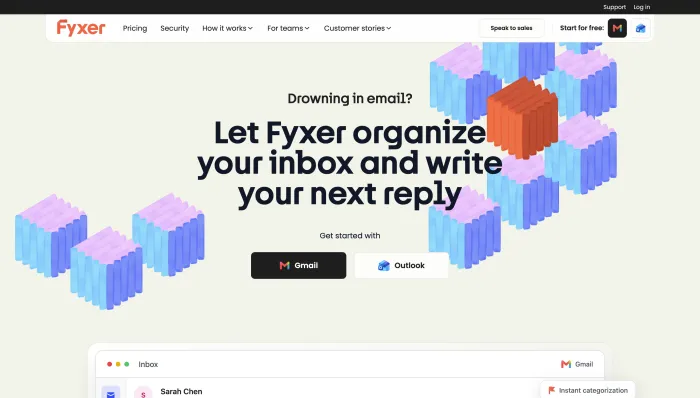
Fyxer is an assistant layer on top of Gmail or Outlook. It auto-categorizes your inbox (To Respond, FYI, and so on), drafts replies in your voice, runs an AI notetaker that joins Meet, Zoom, and Teams calls, and manages calendar scheduling. Setup takes minutes and asks nothing technical.
Standout: strong tone-matching and a reliable meeting notetaker, with near-zero setup.
Limitation: fixed categories that some users find mislabel mail, no shared inbox, no Apple Mail, and volume-based overage fees that penalize busy inboxes. Several reviewers report surprise charges after the trial, so set a cancellation reminder.
Real-world fit: it fits an account executive who wants inbox categories and drafted replies without changing tools. Skip it if you receive high, spiky volume, since overage fees can bite, or if you need a shared inbox.
Pricing: from $30/user/month ($22.50 annual), Professional $50/month, 7-day trial, no free plan. Best for: solo professionals and salespeople who want drafting and sorting handled inside their current inbox.
6. MailMaestro: best AI writing assistant for Outlook
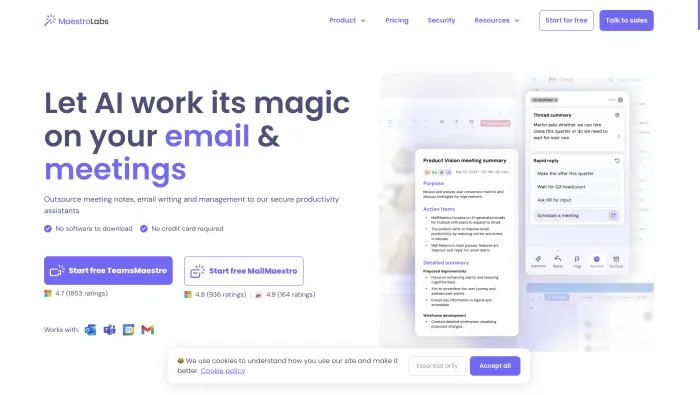
MailMaestro (formerly Flowrite) plugs into Outlook and Gmail and focuses on drafting. It writes replies in your chosen tone, length, and language across 18 languages, summarizes long threads and attachments, offers one-click replies, and detects meeting requests. It anonymizes sensitive data before sending it to a model, which matters for regulated work.
Standout: the deepest Outlook integration in this group (Web, New, Legacy, and mobile), plus PII anonymization that makes it enterprise-safe.
Limitation: it is primarily a composer, not an autonomous agent, and its voice personalization is lighter than Shortwave's.
Real-world fit: it is the natural first pick for anyone deep in Microsoft 365 who mostly wants faster, safer drafting. Skip it if you want an agent that acts on its own rather than a composer you drive.
Pricing: free plan available, Pro $12/month billed annually ($15 monthly), 14-day trial. Best for: Outlook-heavy professionals and regulated teams who mainly want fast, safe drafting.
7. Mailbutler: best for adding AI to Apple Mail
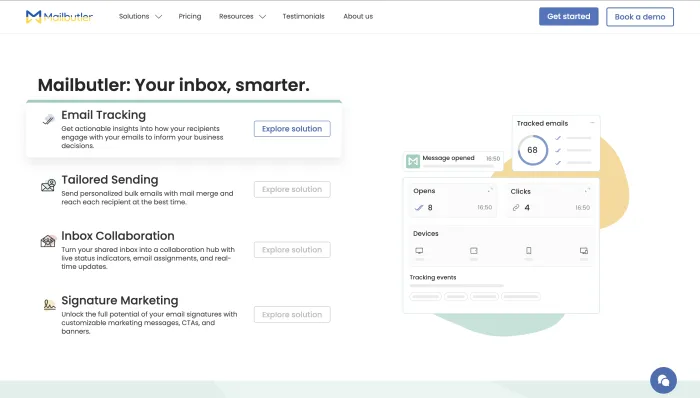
Mailbutler is a productivity extension for Gmail, Outlook, and Apple Mail. Its Smart Assistant drafts, summarizes, improves, and replies to messages, extracts tasks from your inbox, and flags messages that need a follow-up by urgency. It also bundles email tracking, send-later scheduling, templates, and signatures.
Standout: the only tool here that supports Apple Mail, plus a broad feature set beyond AI (tracking, scheduling, templates).
Limitation: the best AI features sit on the Smart plan and above, lower tiers cap your monthly actions, and it is an assist layer rather than an autonomous agent.
Real-world fit: it suits a consultant on Apple Mail who wants tracking, scheduling, and AI drafting in one add-on. Skip it if you want autonomous handling rather than an enhanced inbox.
Pricing: free Starter (with a watermark), paid from around $9/month, Smart around $14/month for full AI, 14-day trial. Best for: freelancers and consultants, especially Apple Mail users, who want to upgrade their existing inbox.
8. Gmelius: best for Gmail teams that want shared inboxes plus AI
Gmelius turns Gmail into a shared workspace. It adds AI drafting and categorization, configurable automation rules (route billing questions to finance, assign VIP clients to a rep), shared inboxes managed from personal Gmail, internal notes, and collision detection so two people do not answer the same email.
Standout: automation rules you define yourself, combined with real shared-inbox collaboration, rather than fixed preset categories.
Limitation: Gmail-first, with Outlook support still in development, so it is a poor fit for Microsoft teams today.
Real-world fit: it is a strong choice for a small support or operations team living in Gmail that needs shared inboxes plus rules. Skip it if your team runs on Outlook.
Pricing: Meli from $19/user/month (AI drafts, categorization, automation, scheduling), Growth $25/user/month (shared inboxes, SLA tracking, Salesforce and HubSpot). Best for: Gmail-based support and operations teams.

AI-native clients, shared inboxes, and filters (faster, you decide)
These make you quicker or quieter, but you still do the reading and deciding yourself.
9. Superhuman: best premium client for inbox speed
Superhuman is a fast, keyboard-first email client that sits on top of Gmail or Outlook. Every action has a shortcut, search is instant, and its AI writes drafts in your voice, summarizes threads, auto-labels, and generates overnight Auto Drafts. It is now part of Grammarly following the 2025 acquisition.
Standout: raw speed and a polished, distraction-free interface that heavy email users tend to love.
Limitation: you still process every message yourself; it makes you faster, not lighter. It is Gmail and Outlook only, has no free tier for email, and requires a guided onboarding session.
Real-world fit: it is worth the premium for someone processing 100-plus emails a day who will invest a week learning the shortcuts. Skip it if your goal is to spend less time in email rather than move through it faster.
Pricing: Starter $30/month ($25 annual), Business $40/month ($33 annual) adds CRM and Auto Drafts, 30-day trial. Best for: sales professionals and executives who live in email and value speed above all.

10. Shortwave: best AI-native client for Gmail
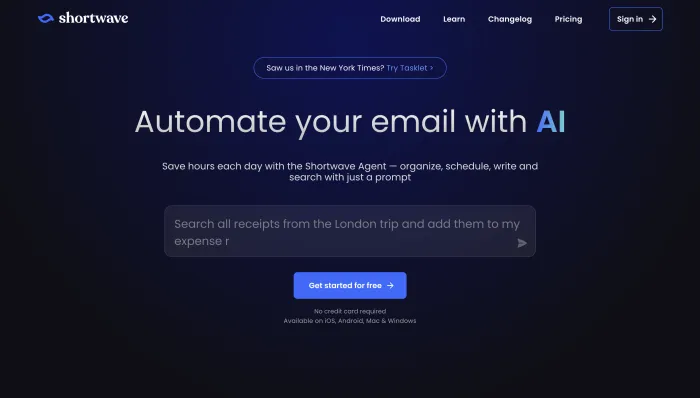
Shortwave, built by ex-Google engineers, is an AI-native email client for Gmail. It bundles threads by topic, summarizes conversations, drafts in your style, and offers AI search across your history, an "Organize my inbox" button that suggests bulk actions, and natural-language AI filters. It has real team features too: shared threads, comments, and task assignment.
Standout: excellent AI search and personalization, plus semi-autonomous bulk actions, at a low price.
Limitation: Gmail only, so Outlook users are out, and the core experience still has you processing your own inbox.
Real-world fit: it fits a Gmail power user who wants AI search and drafting without paying Superhuman prices. Skip it if you are on Outlook.
Pricing: free tier available, paid from around $9/user/month for business features, with higher tiers adding longer AI history. Best for: Gmail-first individuals and teams who want an AI-native inbox.
11. Canary Mail: best for privacy-conscious professionals
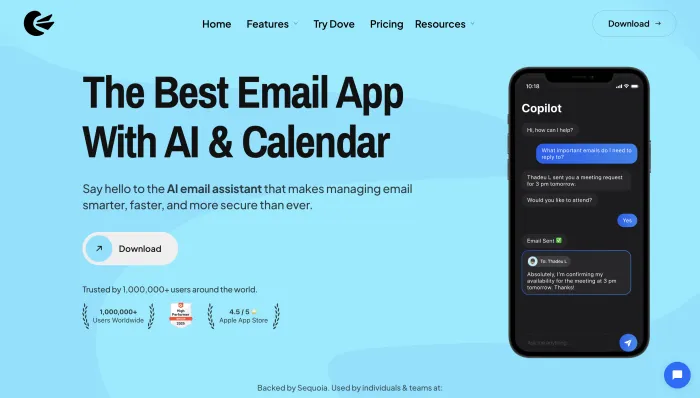
Canary Mail is a secure, AI-powered email client for macOS, iOS, Windows, and Android that connects to Gmail, Outlook, iCloud, and any IMAP account. Its AI Copilot drafts replies, adjusts tone, and summarizes threads, and its Smart Search lets you query your inbox in plain language. What sets it apart is privacy: PGP and SecureSend encryption, phishing and impersonation protection, and a firm policy of not training AI on your email.
Standout: it is the one option here that pairs genuine AI assistance with end-to-end encryption, which matters in legal, health, and finance.
Limitation: the AI is lighter than the dedicated assistants, and it bills annually or as a lifetime license, with no monthly option.
Real-world fit: it suits a lawyer or consultant who wants AI drafting without routing sensitive mail through a third-party model. Skip it if you need autonomous handling or team workflows.
Pricing: free plan; Growth $36/year (about $3/month) for AI features; Pro+ $100/year (about $10/month) for security; 7-day trial. Best for: security-conscious individuals who want AI and encryption in one app.
12. Missive: best for teams sharing an inbox
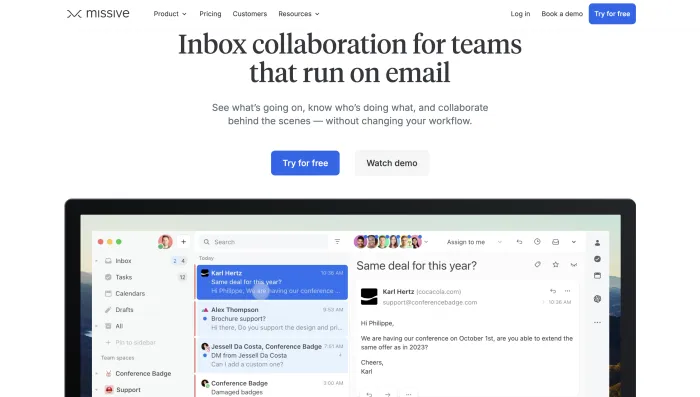
Missive is a collaborative inbox that pulls email, SMS, WhatsApp, and social messages into one place. Its signature feature is an internal chat thread layered inside each email, so a team can discuss, assign, and resolve a message without forwarding or extra email. AI drafting runs through your choice of provider, and it supports rules and integrations.
Standout: genuinely good team collaboration, at roughly a third of the cost of heavier shared-inbox platforms.
Limitation: it is built for teams, so solo users pay team pricing for features they cannot use, and AI is billed separately from the base plan.
Real-world fit: it is the pick for a five-to-fifty-person team that needs shared visibility and internal discussion on the same messages. Skip it if you are a solo user, since you would pay team pricing for team features.
Pricing: free plan for small teams, paid from $14/seat/month (annual), AI usage billed separately, 30-day trial. Best for: support, operations, and agency teams managing a shared address.
13. Front: best for enterprise support teams across channels
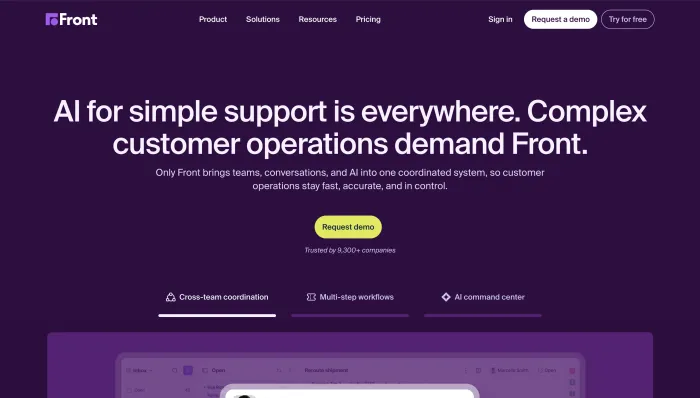
Front is a customer-communication platform that unifies email, SMS, live chat, WhatsApp, and social messages into shared team inboxes. Its AI (Copilot, Smart QA, and Autopilot) drafts responses, tags and routes messages, and can autonomously resolve routine cases. It is less an email client than a full contact-center layer.
Standout: deep omnichannel routing and automation, with an AI Autopilot that resolves routine tickets on its own.
Limitation: it is expensive and complex for simple needs. Most AI features are paid add-ons on the lower tiers, and per-seat costs climb fast.
Real-world fit: it fits a growing support organization handling high external volume across channels. Skip it if you are an individual or a small team that just wants a smarter inbox.
Pricing: from $25/seat/month (Starter), Professional $65, Enterprise $105 (annual); AI features are add-ons on lower tiers; 14-day trial, no free plan. Best for: mid-size and enterprise customer-facing teams.
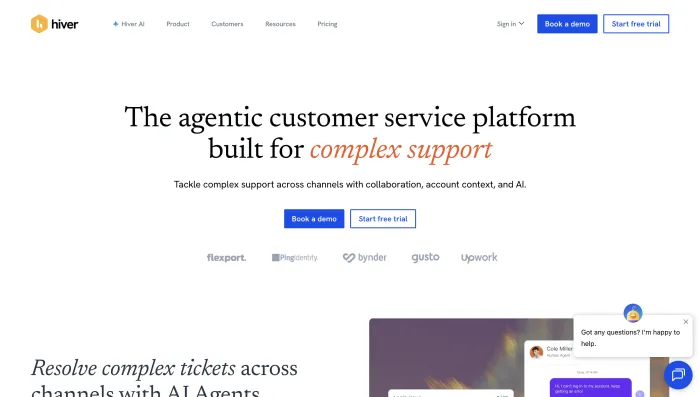
14. Hiver: best Gmail and Outlook helpdesk
Hiver turns Gmail or Outlook into a shared helpdesk without a separate platform. Teams manage support@ or billing@ inboxes with assignment, status tracking, internal notes, SLAs, and collision alerts. Its AI add-on handles drafting, summarizing, tagging, and sentiment analysis.
Standout: helpdesk power inside the inbox your team already uses, with a genuine free tier to start.
Limitation: the useful AI sits behind a paid add-on (around $20 per user on top of the plan), and per-seat costs rise with a two-seat minimum and seat-block scaling.
Real-world fit: it suits a small support or operations team that wants ticketing without leaving Gmail. Skip it if you want a personal assistant rather than a shared help desk.
Pricing: free plan; paid from $25/user/month (Growth), Pro $55, Elite $85; AI add-on about $20/user extra; 7-day trial. Best for: SMB support and operations teams on Google Workspace or Microsoft 365.
15. SaneBox: best for filtering without changing anything
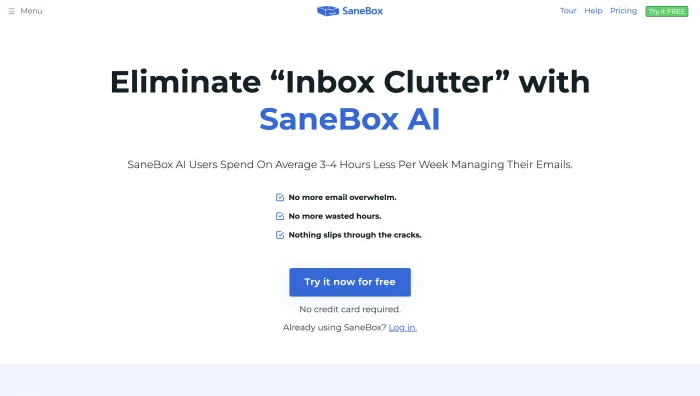
SaneBox is not an AI writer at all. It is a filtering layer that works with any email provider and any client, learning from your behavior to route unimportant mail out of your main inbox (SaneLater), unsubscribe cleanly (SaneBlackHole), and track threads awaiting a reply. There is nothing new to learn; it sits on top of the inbox you already use.
Standout: set-and-forget noise reduction that works everywhere, with almost no configuration.
Limitation: it sorts, it does not handle. It will not draft replies, extract tasks, or take action, and it uses behavior-based rules rather than generative AI.
Real-world fit: it is ideal for someone whose only real problem is inbox noise and who does not want to switch clients. Skip it if you want the tool to draft or act, not just sort.
Pricing: Snack $7/month (1 account), Lunch $12/month (2 accounts), Dinner $36/month (4 accounts, all features), 14-day trial, no free plan. Best for: anyone who wants a quieter inbox without switching tools.
The built-in and general-purpose options
Three tools worth knowing sit outside the tiers above because they are not dedicated email products, yet many people reach for them first. Gemini is built into Gmail and Google Workspace and drafts, summarizes, and replies without leaving the inbox, which makes it the low-friction pick if you already pay for Workspace. Microsoft Copilot does the same inside Outlook and the wider Microsoft 365 suite, starting around $20 to $30 per user per month on top of a 365 subscription. ChatGPT remains the most flexible writer for one-off emails when you want maximum control over tone, though you copy and paste between it and your inbox. None of these reduces how much email you handle; they help you write faster, and they pair well with a filter like SaneBox or an agent that does the handling.
The criteria that separate a good AI email assistant from a gimmick
Plenty of tools wrap a language model around your inbox and call it an assistant. A few genuinely earn their monthly fee. These are the things worth checking before you commit.
Voice-matching that holds up. The point of AI drafting is replies you can send with a one-line edit, not messages you rewrite from scratch. Tools that learn from your sent mail, such as Shortwave, alfred_, and Carly, tend to sound more like you over time than tools that draft from a blank prompt.
Autonomy you control. The best tools let you draw a line: auto-handle routine mail, hold anything that needs judgment. Be wary of anything that is all-or-nothing, in either direction.
Real integrations, not just email. An assistant that connects to your calendar and CRM turns a scheduling email into a booked meeting, or a lead into a logged record. One that stops at the inbox leaves half the work on your plate.
Honest pricing. Watch for credit systems that spike with usage (Lindy), per-seat costs that compound across a team, and volume-based overage fees (Fyxer). Flat pricing is easier to budget against.
Setup that pays off fast. Some tools need days of learning before they are useful. Look for a trial long enough to see real value on your actual email, not a calibration window that ends before the tool has warmed up.
The cost of AI email assistants, compared
Price tracks capability closely in this category. Filtering is cheapest, drafting sits in the middle, and full autonomy costs the most, because an agent replaces manual work rather than speeding it up.
At the low end, SaneBox runs $7 to $36 per month for filtering, MailMaestro offers a free plan with paid drafting from $12 per month, and Canary Mail's AI tier is about $3 per month billed annually. In-inbox assistants cluster higher: Mailbutler's full AI plan is around $14 per month, Gmelius and Hiver start at $19 to $25 per user, and Fyxer starts at $30 per user, though its overage fees can push the real cost up. Premium clients sit alongside them, with Superhuman at $30 to $40 per month for speed, and team platforms like Front reaching $65 to $105 per seat once you add channels and AI.
Agents are the priciest tier and the only one that reduces your email load. alfred_ is the value pick at $24.99 per month flat, Carly is $35, Inboxaly starts at $49, and Lindy starts at $49.99 plus credit-based usage that climbs with heavy workflows. The honest way to judge the spend is against the alternative: a part-time assistant costs far more than $50 a month, and even one reclaimed hour a week usually covers an agent's fee.
Common head-to-head comparisons
A few matchups come up again and again when people shortlist tools.
Superhuman vs. Shortwave. Both are AI-native clients. Shortwave is Gmail-only and markedly cheaper, with strong AI search and personalization. Superhuman costs more, works with Outlook as well as Gmail, and wins on raw speed and polish. Gmail users on a budget lean Shortwave; speed-obsessed Outlook users lean Superhuman.
Front vs. Hiver. Both are shared-inbox platforms for support teams. Hiver lives natively in Gmail or Outlook and is cheaper, which suits smaller teams that want ticketing without a new interface. Front is pricier and more powerful, with true omnichannel routing and an AI Autopilot, which suits larger contact centers.
Fyxer vs. an agent. Fyxer organizes your inbox and drafts replies, but you still send and still do the deciding. If your goal is a tidier inbox, it fits. If your goal is to stop handling routine mail at all, an agent like Inboxaly or Carly is the different, and more complete, answer.
SaneBox vs. everything else. SaneBox is not really a rival to the AI writers; it is a complement. It filters noise at the provider level and pairs cleanly with a drafting assistant or an agent that handles the mail that remains.
Matching a tool to your workflow
The right pick comes down to what you are actually trying to fix.
You want less email to deal with, not just a faster inbox. Choose an agent. Inboxaly suits founders, agencies, and sales teams with high repetitive volume. Carly suits solopreneurs who want work finished end to end. alfred_ suits individuals who want triage plus a daily brief. Lindy suits people who want a proactive assistant across email and chat.
You want help writing but stay in control of every send. Choose an assistant. Fyxer is the strongest all-rounder for Gmail and Outlook, MailMaestro is the pick for Outlook and regulated work, Mailbutler is the one for Apple Mail, and Gmelius fits Gmail teams that need shared inboxes.
You want a faster, cleaner inbox and are happy doing the work yourself. Choose a client. Superhuman for pure speed, Shortwave for an AI-native Gmail experience at a lower price, Canary Mail if privacy is a priority.
You run a shared inbox or support desk as a team. Missive for cross-channel collaboration, Hiver for a Gmail-native helpdesk, Front for enterprise-scale omnichannel support, Gmelius for Gmail shared inboxes with automation.
You only want the noise gone. SaneBox, layered onto whatever you already use.
By platform: Gmail users have every option; Outlook users should rule out Shortwave and, for now, Gmelius; Apple Mail users are limited to Mailbutler, Canary Mail, and SaneBox. By budget: SaneBox, Canary Mail, and MailMaestro start cheapest, while agents cost more but replace hours of manual work rather than merely speeding it up. For a deeper walkthrough of what AI can take off your inbox, see our guide to AI email management.
Keeping a human in the loop
Handing your inbox to software raises a fair question about control. The tools that do this well let you set the boundary: auto-send routine, low-risk replies, and hold anything that needs a decision for your review. The sensible way to adopt an agent is to start in draft-only mode, watch its judgment on one category of email for a week, and enable autonomous sending only once you trust it there. Voice-matching matters too; the best tools learn from your sent mail so replies read like you rather than a generic assistant. Treat autonomy as a dial you turn up gradually, not a switch you flip on day one.
Frequently asked questions
AI email assistant vs. AI email agent: what is the difference? An assistant helps you write and organize email but leaves the sending to you. An agent goes further: it reads incoming mail, drafts or sends replies against rules you set, follows up, and updates your other tools while you supervise. Assistants make you faster; agents reduce how much email you handle at all.
Can AI reply to emails automatically? Yes. Agents like Inboxaly and Carly can send replies on your behalf based on rules and templates you define. Most tools let you choose: auto-send routine replies and hold anything sensitive for review. Assistants and clients draft for you but wait for you to press send.
Are AI email assistants worth it? If email takes more than an hour or two of your day, usually yes. Most tools cost $10 to $50 per month, and reclaiming even two or three hours a week is worth far more than that for most professionals. The bigger question is which tier fits: pay for a client or assistant if you want to be faster, and an agent if you want to hand the routine work off entirely.
Can an AI email assistant learn my writing style? Yes, the better ones do. Tools that train on your sent mail, such as Shortwave, alfred_, Carly, and Fyxer, produce drafts that sound closer to you the longer you use them. Pure prompt-based writers stay more generic. If tone matters, prioritize tools that advertise voice-matching and give them a week to calibrate.
Which AI email assistant is best for Outlook? For drafting inside Outlook, MailMaestro has the deepest integration. For an autonomous agent, Carly, alfred_, and Lindy all support Outlook. Shortwave and, for now, Gmelius do not, so Outlook users should skip those.
Which AI email assistant is best for teams? For collaboration across channels, Missive. For a Gmail-native helpdesk, Hiver. For enterprise-scale omnichannel support, Front. For Gmail shared inboxes with automation, Gmelius. Match the choice to your platform and volume.
Which AI email tool is the best free option? For a genuine free tier, MailMaestro (free plan with limited credits), Shortwave (free Gmail tier), Missive (free plan for small teams), Hiver, and Canary Mail are the strongest starting points. Mailbutler has a free plan too, though sent mail carries a watermark. Full agents rarely offer permanent free tiers, but most include a trial.
Is it safe to give an AI access to my inbox? Reputable tools use standard authentication, encryption, and scoped permissions, and many hold certifications such as SOC 2. Review each vendor's data-retention and model-training policy before connecting, start in draft-only mode, and expand autonomy once you are comfortable. You control what the tool is allowed to send.
Which AI email tool is cheapest? SaneBox and Canary Mail start around $3 to $7 per month, and MailMaestro has a free plan with paid tiers from $12 per month. Full autonomous agents cost more, typically $25 to $50 per month, because they replace manual work rather than speeding it up.
Do AI email assistants work on mobile? It varies. Clients like Superhuman, Shortwave, and Canary Mail have polished mobile apps. Add-in assistants like Fyxer and MailMaestro work through your existing mobile mail app rather than a dedicated one. Agents like Carly and Inboxaly run in the background, so there is often nothing to open on your phone at all.
The bottom line
The real divide in 2026 is not which tool has the most features. It is whether you want to process email faster or handle less of it. Clients like Superhuman and Shortwave make you quicker. Assistants like Fyxer and MailMaestro take the writing load off. Team platforms like Missive, Hiver, and Front bring shared inboxes under control. Agents like Inboxaly, Carly, alfred_, and Lindy are the only group that actually shrinks the pile, by reading, replying, and following up while you supervise. Match the tier to your goal, start any agent in draft-only mode, and turn the autonomy up as trust builds.
If your inbox is mostly repetitive business email, follow-ups, inquiries, and leads that need logging, that is exactly the work an agent is built to absorb.