Fastmail Review 2026: Is It Worth Switching From Gmail? (We Tested Both)
Gmail is the default. Fastmail is the deliberate choice. After 30 days running both accounts in parallel — signing up, migrating a real inbox, stress-testing support, and processing roughly 400 emails across both platforms — here is the unfiltered verdict on whether Fastmail is worth your money.
Fastmail has been running since 1999. In a market where free alternatives come and go, a paid email provider with a 25-year operating history is either genuinely good or genuinely stubborn — usually both. We ran it for 30 days alongside Gmail to find out which.
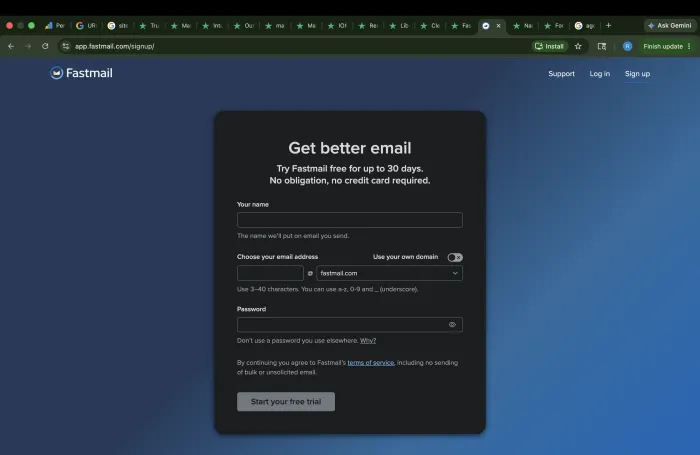
The setup took three minutes. No credit card required. The signup page asks for a name, an email address choice, and a password — nothing else. From there, you land directly in the inbox. What follows is what we found after a month of daily use.
What Is Fastmail?
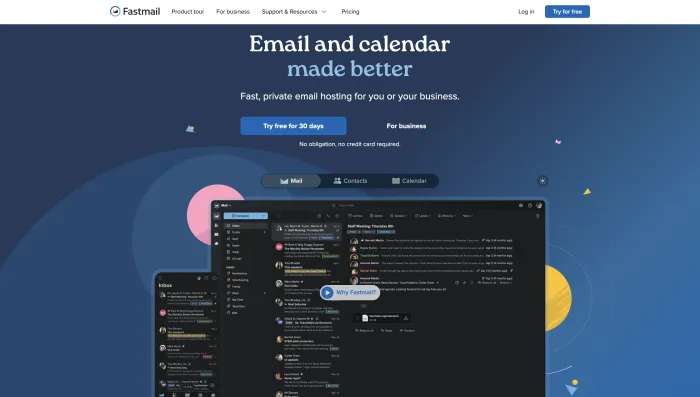
Fastmail is a paid, privacy-first email hosting service founded in Melbourne, Australia. It offers ad-free email for individuals, families, and businesses, built around open standards including JMAP — a modern API protocol that Fastmail's own engineers helped draft. It is not a free product and does not position itself as one. The value proposition is simple: you pay a flat subscription, they do not monetise your data.
Who Is Fastmail Best For?
- Privacy-conscious professionals who want ad-free email and are willing to pay a transparent subscription rather than exchange their data for free infrastructure.
- Developers and power users who need JMAP API access, RFC-compliant Sieve filtering, and open-standard integrations without fighting proprietary OAuth layers.
- Custom domain users who want genuine email portability — the ability to leave any provider and keep their address. Fastmail explicitly recommends custom domains so your email is never tied to their platform.
- Longtime Gmail users who have grown tired of Gemini nudges, promotional tab creep, and an interface that keeps changing around them.
Fastmail Pricing: What You Actually Pay
The first thing we did after signup was navigate to Billing and Plan. Fastmail's pricing is location-adjusted — what you see inside your account reflects your local market rate. The India pricing we captured during testing is shown below. If you are outside India, use the pricing toggle inside your account for your actual rate.
Individual and Family Plans (Annual Billing)
| Plan | Users | Storage | Monthly Cost | Annual Total |
|---|---|---|---|---|
| Individual | 1 | 60 GB | ₹400 | ₹4,800 |
| Duo | 2 | 120 GB total | ₹640 | ₹7,680 |
| Family | Up to 6 | 360 GB total | ₹880 | ₹10,560 |
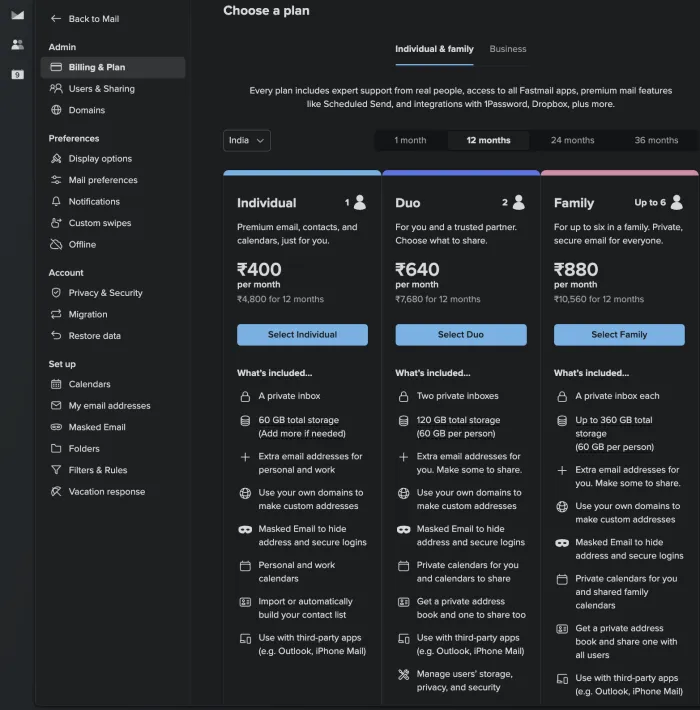
Every individual and family plan includes masked email, custom domain support, personal and work calendars, contact import, and third-party app integrations including Outlook and iPhone Mail. There is no stripped-down personal tier — features are consistent across all three plans, with storage and user count as the only differentiators.
Business Plans (Per User, Annual Billing)
| Plan | Storage Per User | Monthly Cost | Key Addition |
|---|---|---|---|
| Basic | 6 GB | ₹240/user | Shared address book |
| Standard ★ Most Popular | 60 GB | ₹400/user | Scheduled send, snooze, custom domain |
| Professional | 150 GB | ₹720/user | Email retention archive for legal compliance |
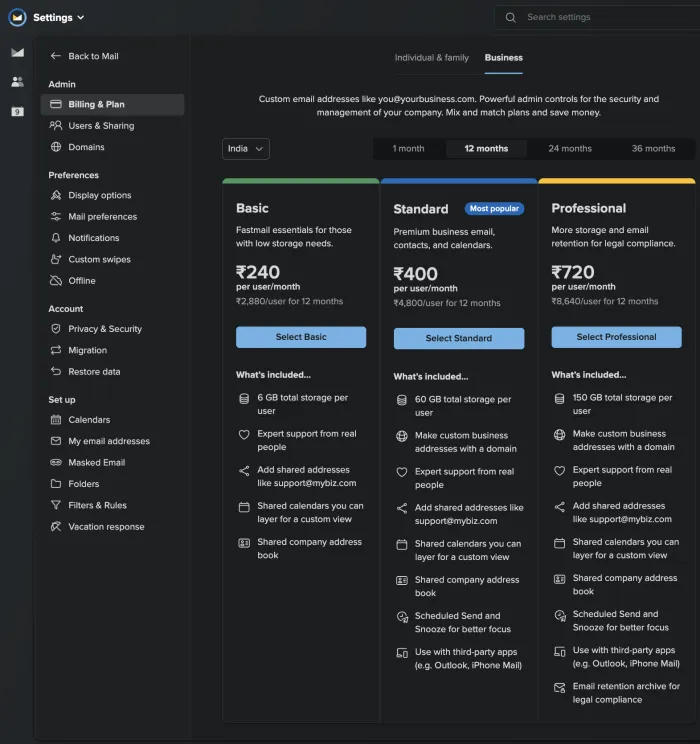
At 6 GB per user, the Basic business tier is genuinely insufficient for any team with a meaningful email history. The practical entry point for real business use is the Standard plan at ₹400/user/month. Budget for Standard, not Basic.
What Makes Fastmail Different From Gmail
Open Standards and JMAP
Fastmail is built around open standards in a way Gmail deliberately is not. It is the only major consumer email provider that implements JMAP — JSON Meta Application Protocol — a modern API standard Fastmail's own engineers helped draft and push through the IETF. During our evaluation, connecting a third-party email client took approximately four minutes: no OAuth permission dialogs, no scope warnings, no "this app may have access to your Gmail" friction. You authenticate once against an open standard and it works with any RFC-compliant client. Gmail's integrations are deliberately proprietary, and developers who have tried to wire Gmail into custom workflows know exactly what that friction feels like.
Masked Email
When paired with 1Password or Bitwarden, Fastmail's Masked Email generates a unique randomized address for every signup, forwarding to your real inbox invisibly. The moment an address starts receiving spam, you delete it in one click. During our 30-day evaluation, two services we had signed up for using test addresses began sending unsolicited mail. We killed both addresses in under ten seconds each. Gmail has no equivalent feature at any tier.
Interface Design
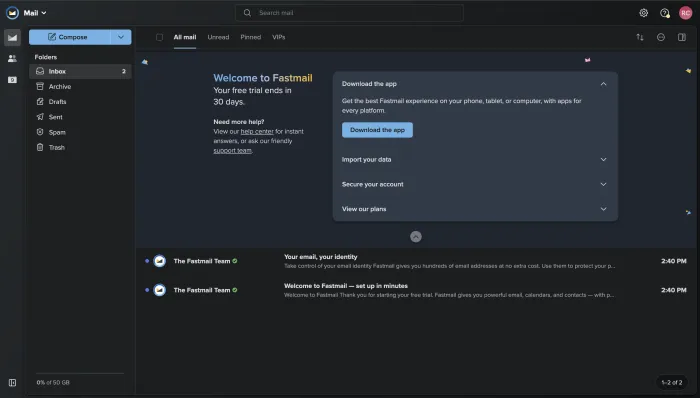
The web interface is deliberately restrained. The left sidebar shows Folders — Inbox, Archive, Drafts, Sent, Spam, Trash — as clean defaults. Top navigation offers All mail, Unread, Pinned, and VIPs. The compose button is prominent. There are no upsell banners, no AI-feature prompts, no promotional content anywhere in the interface. After years of Gmail accumulating Gemini nudges and promotional tabs, Fastmail's inbox reads as quiet in a way that feels intentional rather than unfinished.
App Availability
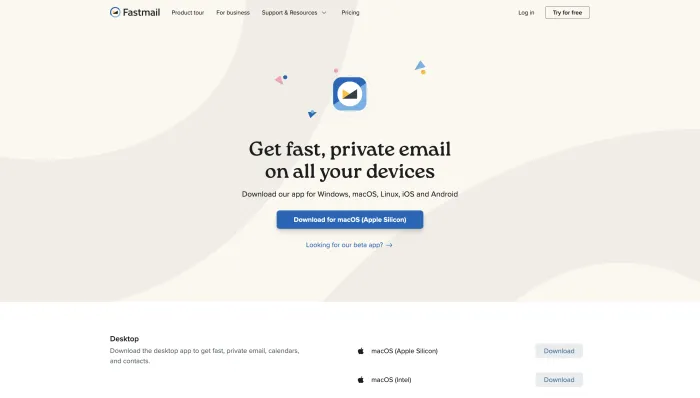
Fastmail has native apps for Windows, macOS (both Apple Silicon and Intel), Linux, iOS, and Android. The desktop apps are Electron-based wrappers rather than fully native applications, which shows in OS-level integration quality. If you rely on notification customization, widget support, or share sheet actions, the apps feel thin compared to Gmail's native implementations. This is the area where Gmail's platform investment most clearly shows.
Migration: What the Process Actually Looks Like
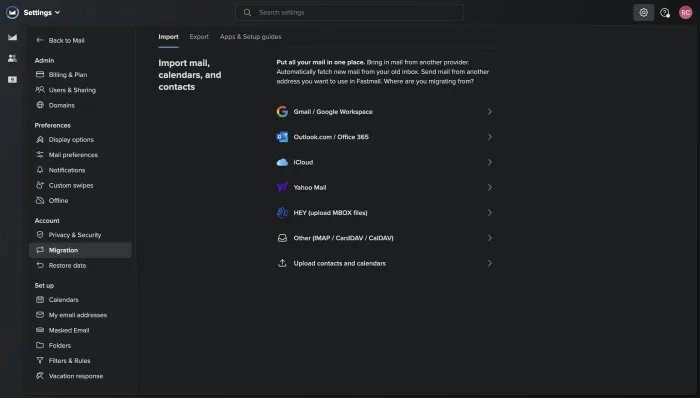
Inside Settings, the Migration section offers direct import paths for seven sources: Gmail and Google Workspace, Outlook and Office 365, iCloud, Yahoo Mail, HEY via MBOX file upload, other providers via IMAP/CardDAV/CalDAV, and a separate contacts and calendars upload. The Gmail migration sets up ongoing sync, meaning you can run Fastmail and Gmail in parallel as long as you need while transitioning gradually. Gmail labels are converted to folders. In practice, our test migration completed cleanly with no data loss, and parallel sync ran without manual intervention throughout the evaluation period.
For non-Gmail providers, Yahoo Mail in particular requires a manual contacts export before migration begins. It is a one-time step, not an ongoing friction point, but worth knowing before you start.
Fastmail vs Gmail: Head-to-Head
| Factor | Fastmail | Gmail |
|---|---|---|
| Cost | Paid subscription from ₹400/mo | Free |
| Privacy Model | Flat fee, no ad targeting | Data and attention |
| API Standard | JMAP + IMAP + SMTP | Proprietary OAuth |
| Masked Email | ✓ Built-in with 1Password/Bitwarden | ✗ Not available |
| Custom Domain | ✓ All plans | Workspace paid only |
| Human Support | ✓ Real team, sub-30 min response | ✗ None for individuals |
| EU Data Residency | ✗ US-only currently | ✓ Regional options |
| Native Mobile Apps | Electron wrapper | Fully native iOS/Android |
| End-to-End Encryption | ✗ Encrypted at rest only | ✗ Same |
| Google Workspace Integration | ✗ Not applicable | ✓ Full ecosystem |
Privacy and Data Handling
Fastmail stores data in the United States. For European users with GDPR compliance requirements, this is a hard stop with no current workaround. Fastmail has acknowledged EU infrastructure is under evaluation but has not confirmed a timeline. On monitoring: Fastmail scans email for spam and abuse detection, as does every provider including ProtonMail. The difference is transparency — Fastmail is more explicit about what it does and why than most competitors.
A consistent pattern in user feedback identified account lockouts described as unexplained, some occurring after heavy use of the Masked Email feature. Fastmail's official position is that lockouts are triggered by fraud patterns or identity impersonation signals. In practice the policy appears stricter than the documentation suggests, and appeals are sometimes met with form responses. If email is mission-critical infrastructure, understand this risk before committing your primary inbox.
Support Quality
Gmail has no meaningful human support for individual users. Fastmail has a tiered support team that multiple users independently verified responding in under 30 minutes, including on weekends and holidays. The consistent praise was not just for speed but for technical depth — answers that anticipated follow-up questions and support staff who behaved like engineers rather than script-readers. The counterpoints exist: a small group of users reported 30-plus hour response times on complex account recovery cases. These appear to be edge cases rather than baseline behavior, but they are worth knowing before you need urgent help.
Fastmail for AI Email Automation Users
If you are evaluating Fastmail as the inbox layer beneath an AI email automation stack, JMAP is the relevant differentiator. Unlike IMAP, which was designed in 1988 and shows it, JMAP supports push notifications, efficient partial syncs, and structured data queries — all of which reduce the overhead on AI tools that need to read, categorize, and act on email in real time. For teams using AI agents to manage inbound email workflows, Fastmail's open-standard infrastructure is meaningfully more accessible than Gmail's proprietary API layer. For a complementary approach to inbox automation that layers on top of a clean email foundation, our Remail.ai review covers how AI reply generation integrates with Gmail — a useful comparison point if you are deciding which inbox layer to build on.
Pros and Cons
| Pros | Cons |
|---|---|
| Ad-free, privacy-respecting inbox with no data monetisation | No EU data center — hard stop for GDPR compliance requirements |
| JMAP support for open-standard third-party integrations | Mobile apps are Electron-based, not fully native |
| Masked Email with 1Password and Bitwarden built in | Account lockout policy stricter than documentation suggests |
| Human support team with consistent sub-30 minute response times | Basic business plan at 6 GB storage is impractical for real use |
| Custom domain portability built into every plan | No end-to-end encryption |
| Fast web interface — search notably quicker than Gmail | Recent price increase generated churn among legacy plan holders |
| 25-year operating history with no VC pressure | No Google Workspace equivalent — email only |
Fastmail FAQ
For most accounts, the initial import completes within one to three hours. Fastmail sets up ongoing sync automatically so you can run both inboxes in parallel and transition at your own pace. Gmail labels are converted to Fastmail folders. Our test migration ran without data loss and required no manual intervention after the initial setup step.
No. You set up forwarding from Gmail to Fastmail so messages sent to your old address continue arriving. The recommended path is to start using your Fastmail or custom domain address for new signups while existing contacts catch up naturally over time.
Yes — TOTP authenticator apps, security keys including FIDO2 and passkeys, and app-specific passwords for third-party clients that do not support modern authentication flows are all supported.
Yes. Fastmail supports IMAP, SMTP, and JMAP. Outlook and iPhone Mail are explicitly listed as supported integrations inside the platform settings. JMAP-native clients get additional performance benefits that IMAP cannot match — faster sync, lower battery overhead on mobile.
You submit an appeal through the support team. Based on user experience patterns we reviewed, most straightforward cases resolved within 24 to 48 hours. Complex cases — particularly those involving heavy masked email alias use — can escalate to Tier 3 and take significantly longer. If email is mission-critical, maintain a regular export backup. The export option lives under Settings — Restore data.
No. Fastmail stores email encrypted at rest but not end-to-end. Their engineering blog has a detailed post explaining the architectural reasoning. For most users the practical difference is limited — end-to-end encryption only protects messages between two E2EE users, which covers very few real-world email exchanges.
Beyond storage — 6 GB versus 60 GB — the Standard plan adds scheduled send, snooze, and custom business domain addresses. The Basic plan omits all three. For most real business use cases, Standard is the practical minimum. Budget accordingly before signing up.
Yes. The Family Plan covers up to 6 users with 60 GB storage per person, shared family calendars, and a shared address book. It was consistently highlighted in user feedback as strong value for households moving off Google or Yahoo entirely.
Verdict — 7.8 / 10
Fastmail delivers on its core promise: fast, ad-free, privacy-respecting email with genuinely capable support and developer-friendly infrastructure. The 25-year operating history is not nostalgia — it is evidence the product is sustainable and the company is not going anywhere.
The trade-offs are real and worth naming honestly. No EU data center. Mobile apps that feel like web wrappers. A lockout policy that catches legitimate power users without consistent recourse. A subscription that requires believing your email is worth paying for.
For anyone who has outgrown Gmail's bargain — your attention and data in exchange for free infrastructure — Fastmail is the most technically honest upgrade available at its price point.