Bizmail Login Guide: How to Sign In to Your Turbify Business Email
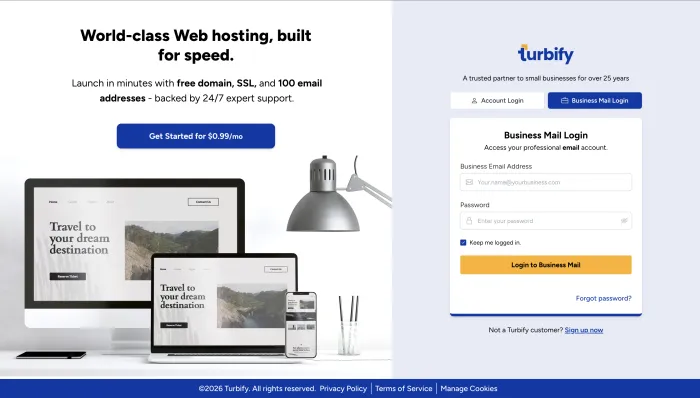
This guide explains how to log in to Bizmail, access your Turbify business email inbox, reset your password, fix common login errors, and set up Bizmail on iPhone, Android, Outlook, or another email client.
Use the official Bizmail login page here: mail.turbify.com/login
What Is Bizmail and Who Manages It Now?
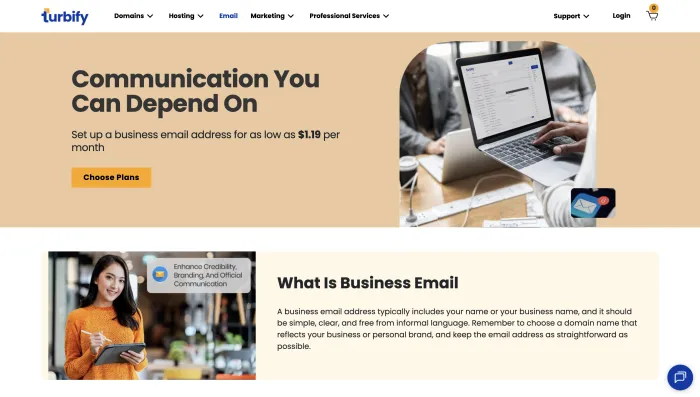
Bizmail is a professional business email service originally built inside Yahoo Small Business. It lets small businesses use a custom domain email address — like [email protected] — instead of a generic free account.
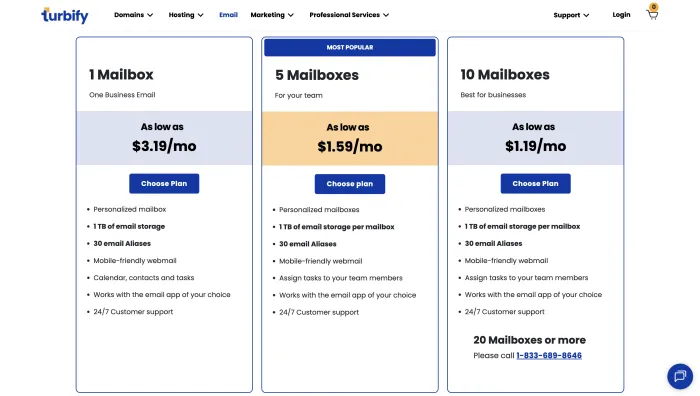
In 2022, Yahoo Small Business rebranded to Turbify. The Bizmail product moved with it and now lives at turbify.com. Your email address, password, stored messages, and settings are all unchanged — only the brand name is different.
The Bizmail login page is now at:
mail.turbify.com/login
If you had an old Yahoo Small Business bookmark, it redirects to Turbify automatically.
How to Log In to Bizmail
Follow these steps to sign in to your Bizmail business email inbox.
Open your browser and go to mail.turbify.com/login.
Enter your primary business email address, such as [email protected]. Do not use an alias.
Enter your business email password. This is different from your Turbify account password.
Click Login to Business Mail. You will land directly in your Bizmail inbox.
You can also reach the login page from the Turbify homepage. Click Login in the top right, then select Business Mail Login. You can also access your inbox via mail.yourdomainname.com — for example, mail.widgetdesigns.com — as an alternative direct URL.
Turbify Account Login vs. Bizmail Login — Critical Difference
This is the single most common source of login failures. There are two completely separate logins under Turbify:
| Login | URL | What It Accesses |
|---|---|---|
| Bizmail / Business Email | mail.turbify.com/login | Your inbox, contacts, calendar |
| Turbify Account | login.turbify.com/login | Billing, domains, hosting, Email Control Panel |
Your Turbify account password and your Bizmail password are not the same credentials. If you are entering your Turbify password on the mail.turbify.com page, or your Bizmail password on the login.turbify.com page, it will fail — and you may think your password is wrong when it is not.
Reading email → use mail.turbify.com. Managing your subscription → use login.turbify.com.
Forgot Your Bizmail Password? How to Reset It
There are two separate reset flows. Use the right one.
To reset your Bizmail business email password:
- Go to mail.turbify.com/forgotpassword
- Enter your primary business email address
- Complete the CAPTCHA
- Check your recovery email for a reset link
- Click the link and set a new password
To reset your Turbify account password:
Go to login.turbify.com/forgotpassword and follow the same process.
If you cannot reset online because you have lost access to your recovery email, call Turbify support directly: 1-833-689-8585. They will verify your identity and restore access manually.
Common Bizmail Login Problems and Fixes
Three most likely causes: you are using your Turbify account password instead of your Bizmail password, Caps Lock is on, or you are using an email alias instead of the primary address.
Fix: confirm you are on mail.turbify.com, use only the primary address, and reset your business email password if needed.
Go directly to mail.turbify.com/login. The rebrand is complete and all old Yahoo Small Business URLs now redirect to Turbify. If a redirect is broken, going direct always works.
Your regular Bizmail password will not work in third-party mail clients. Turbify requires a separate app password for Outlook, iPhone Mail, Android, and similar clients.
Fix: sign into webmail first, open account settings, generate an app password, then use that in your mail client.
Wait 15–30 minutes before retrying, or call 1-833-689-8585 to have support unlock it manually.
Clear your browser cache and cookies, then try again. An incognito or private window will rule out browser extension conflicts.
How to Access Bizmail on iPhone or Android
You have two options: browser access, which is the easiest, or native mail app setup via IMAP, which is more convenient long-term.
Option A — Mobile browser
Open Safari or Chrome, go to mail.turbify.com/login, and log in as normal. The webmail interface is mobile-responsive. It works immediately and does not require setup.
Option B — Native iOS Mail app
Before doing anything else, generate an app password from your Bizmail webmail account settings. Your regular password will not work here.
- Go to iPhone Settings → Mail → Accounts → Add Account → Add Mail Account
- Enter your name, full Bizmail address, your app password, and a description
- Select IMAP when prompted
- Enter the server settings from the table in the next section
- Save and send yourself a test email
If you see an SMTP connection error after setup, delete the account, restart your phone, and re-enter the settings from scratch. iOS sometimes stores old SMTP settings that conflict.
Option C — Android
The process is similar on Android. Add a new account, choose Other or IMAP, enter your Bizmail address, use your app password, and input the IMAP and SMTP settings below.
Bizmail IMAP, POP, and SMTP Settings
Use these when setting up Bizmail in any email client. App password required — your regular email password will not work.
Incoming Mail — IMAP Recommended
| Setting | Value |
|---|---|
| IMAP Server | imap.bizmail.yahoo.com |
| Port | 993 |
| Encryption | SSL/TLS |
| Username | Your full business email address |
| Password | Your app password |
Outgoing Mail — SMTP
| Setting | Value |
|---|---|
| SMTP Server | smtp.bizmail.yahoo.com |
| Port | 465 SSL or 587 TLS |
| Encryption | SSL/TLS |
| Username | Your full business email address |
| Password | Your app password |
Outlook and some other clients may auto-fill incorrect server settings. If they do, manually overwrite them with the values above. Using the pre-filled settings can cause connection errors.
POP3 note: POP downloads emails to one device and removes them from the server. You will not see the same emails across multiple devices. IMAP is strongly recommended for almost everyone. If you need POP3 settings, find them inside your Email Control Panel under Options → Additional Options.
Final Takeaway
To read your Bizmail email, use mail.turbify.com/login. To manage billing, domains, hosting, or the Email Control Panel, use login.turbify.com/login.
The biggest mistake users make is mixing up the Bizmail password with the Turbify account password. If your login fails, first confirm that you are on the correct URL, using your primary business email address, and entering the right password for that specific system.
For Outlook, iPhone Mail, Android, or any third-party email app, generate an app password first and use the IMAP and SMTP settings listed above.
Frequently Asked Questions
Go to mail.turbify.com/login. This is the official Turbify business email portal. All old Yahoo Small Business login URLs redirect here.
Yes. Yahoo Small Business rebranded to Turbify in 2022. Bizmail is the business email product under that umbrella. Your existing email, contacts, and settings carried over unchanged.
They are two separate systems with separate credentials. Use mail.turbify.com for your email inbox and login.turbify.com for account management. The passwords are independent of each other.
No. You must use your primary business email address. Aliases will not work on the login screen. To find your primary address, check the Email Control Panel in your Turbify account. It lists the primary address and all aliases linked to it.
Sign into Bizmail via browser, open account settings, find Manage App Passwords, and generate a new one. Use that instead of your regular password in any third-party mail client.
There is a Bizmail app on Google Play, but Turbify no longer officially supports the Yahoo Mail app for Bizmail accounts. The recommended approach is browser access at mail.turbify.com or IMAP setup in your phone’s native mail app using an app password.
Call Turbify support at 1-833-689-8585. They can verify your identity and restore access manually.